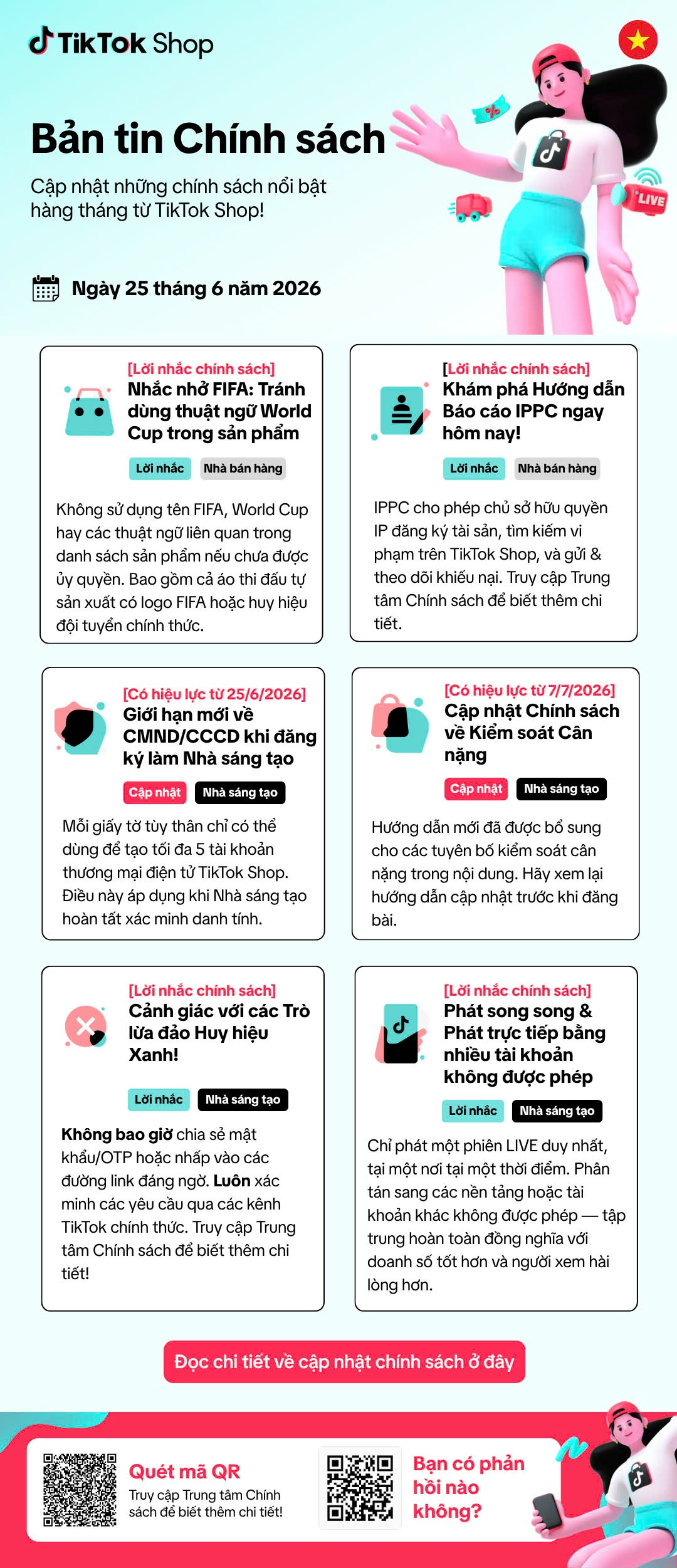
The TikTok Shop bulletin dated 25/06/2026 introduces several new checkpoints for creators, LIVE teams and brands. Risks are not limited to products: image copyright, verification documents, script claims, account security and broadcast configuration can all affect campaigns.
Three risk groups media teams need to address immediately
- Usage rights: the FIFA/World Cup names, logos, national team badges and brand intellectual property.
- Creators & accounts: document-based verification limits, OTP security and impersonation involving verification badges.
- Content & broadcasting: weight-management claims and simultaneous LIVE broadcasts using multiple accounts or platforms.
1. Do not turn World Cup trends into copyright risks
The bulletin reminds sellers to avoid using FIFA, World Cup or related terms in product listings without authorisation. For media teams, this means checking creator content too: scripts, thumbnails, props, clothing bearing FIFA logos or official national team badges, captions and hashtags.
A trend-based campaign should only go live after the brand confirms usage rights or substitutes neutral wording. Creators should not independently add protected logos, event names or images to the final content.
2. IPPC: prepare rights documentation before disputes arise
According to the bulletin, IPPC lets rights holders register IP assets, search for infringements on TikTok Shop, and submit and track complaints. Brands should gather trademark certificates, authorisation documents, original files and evidence of publication dates to help protect their content more quickly.
Agencies and creators also need to record the sources of music, images, footage, fonts and design assets used in each video. When revisions are requested, the production team can trace them immediately instead of removing the whole campaign.
3. From 25/06/2026: one verification document for up to 5 accounts
Each Vietnamese identity card or other identity document can be used to verify a maximum of 5 TikTok Shop e-commerce accounts of the creator. This rule directly affects creator recruitment and affiliate account management.
- Confirm that the creator can still complete verification before agreeing on a broadcast schedule.
- Do not borrow identity documents from employees, collaborators or other creators to open accounts.
- Associate each account with a clearly identified entity and responsible person.
- Have an alternative plan if creators cannot complete verification by the campaign deadline.
4. From 07/07/2026: tighter control of weight-related claims
New guidance has been added for weight-management claims in content. Before filming, editors should review dialogue, text overlays, before/after images, quantified results and purchase prompts based on appearance insecurities.
Brands should provide a list of permitted claims and supporting evidence; operators need authority to stop or change the topic when hosts go beyond the script. See also the article guidance on safe health and weight-related content.
5. A blue badge is not a reason to share an OTP
Scammers may use display names, profile pictures or claims of verification support to appear trustworthy. Do not share passwords, OTPs or recovery codes, or sign in through suspicious links. Verify every request in Seller Center or through official TikTok channels.
For multi-party campaigns, separate personal and operational accounts, apply the minimum permissions needed, record access handovers and revoke permissions as soon as the collaboration ends.
6. Parallel LIVE sessions and multiple accounts: check the technical configuration too
The bulletin notes that only one LIVE session should take place in one location at a time; broadcasting to other platforms or accounts is not permitted within the guidance's scope. Producers should check streaming software, destinations, RTMP, backup devices and logged-in accounts before going live.
A backup camera does not mean a second broadcast. Incident plans should clearly specify when to stop the old session, when to switch equipment and who can restart the LIVE session.
Review process before a campaign goes live
- Brand: confirm asset usage rights, claims and the product list.
- Content: review copyright-related keywords, weight-related content, CTAs and hashtags.
- Creator manager: check verification status and account permissions.
- Producer/operator: check broadcast destinations, active sessions and backup devices.
- Security owner: confirm official communication channels, 2FA and OTP rules.
Need to review a TikTok Shop campaign before release?
Height Entertainment helps brands review creator scripts, livestream processes, account permissions and coordination between content and store operations.
Explore TikTok Shop operations solutions or explore the implementation package.